Agent Un-installation
For security reasons, agent uninstallation is password-protected and can only be performed using the uninstallation password provided by the organization’s administrator. This ensures that users cannot bypass device compliance, device binding, or security controls.
This article provides step-by-step instructions to safely uninstall the InstaSafe Windows Agent from a client system.
Uninstalling the Windows Agent
-
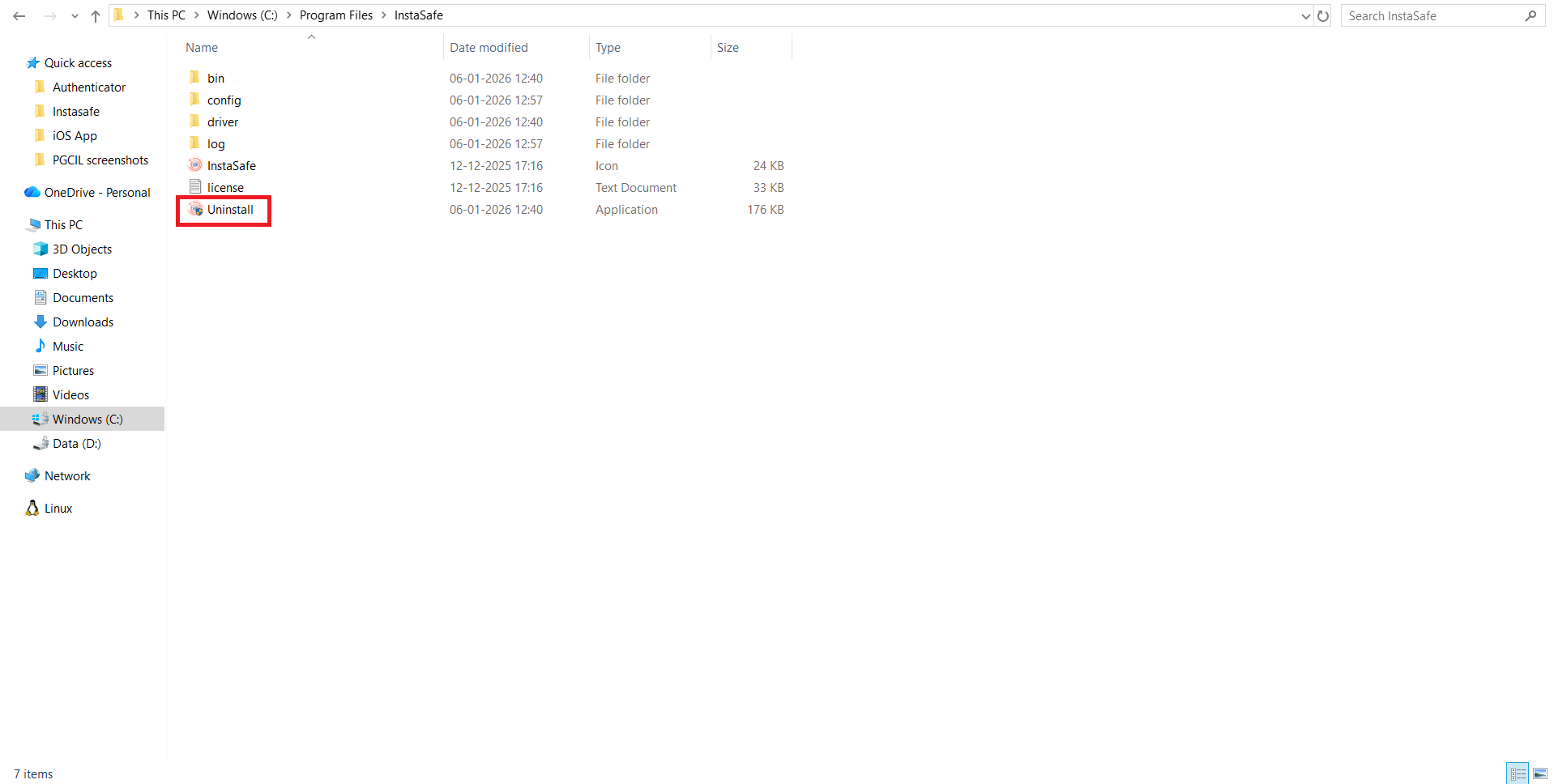
Open This PC.
-
Navigate to Program Files.
-
Open the InstaSafe folder.
-
Double-click Uninstall.exe.
-
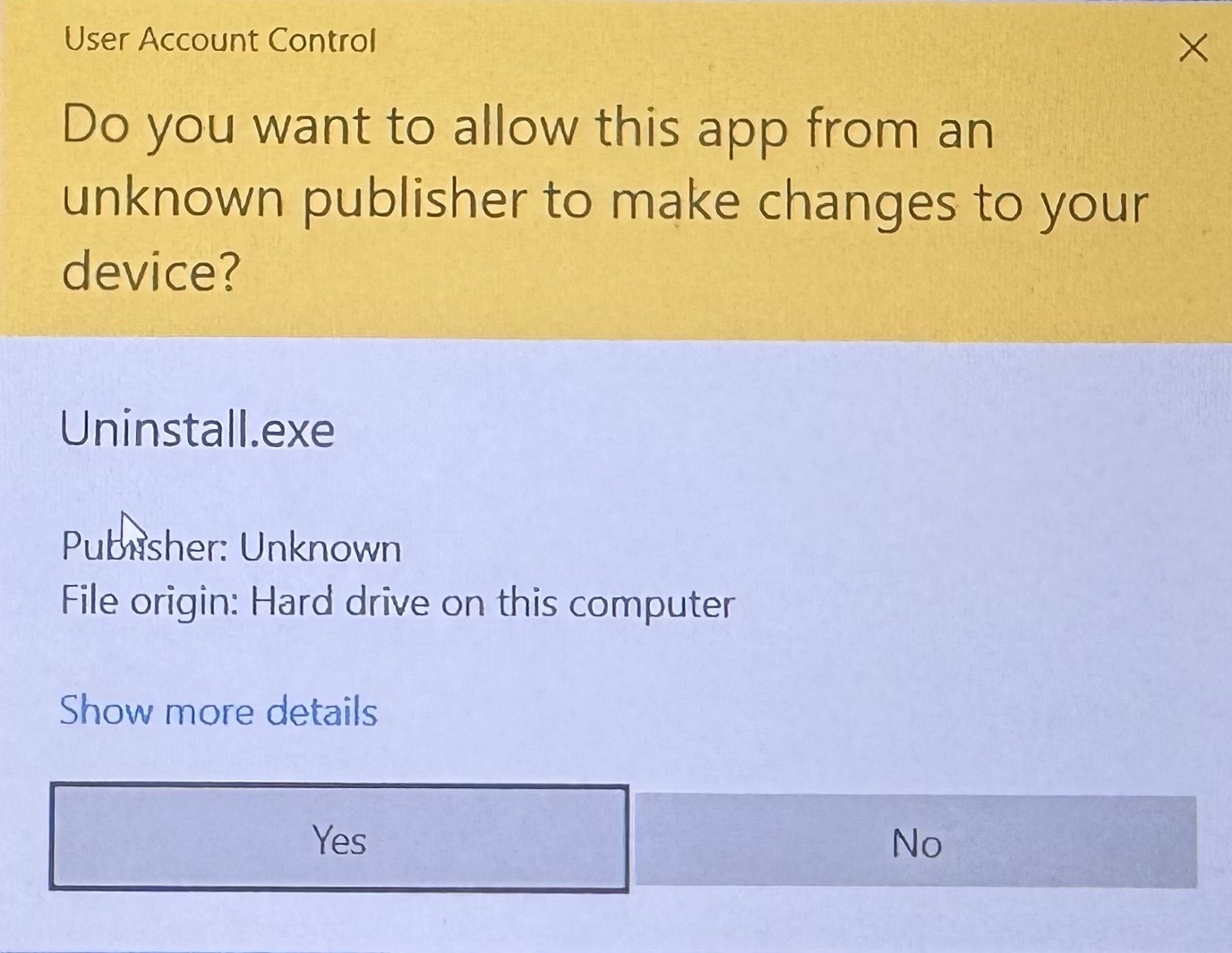
When the User Account Control (UAC) prompt appears, click Yes to allow the application to make changes.
-
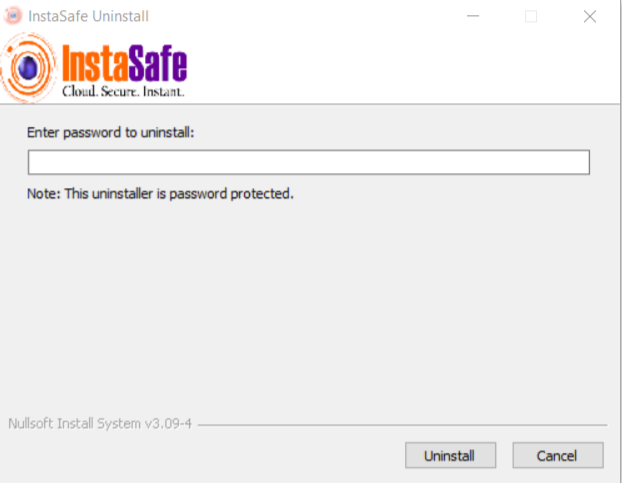
The InstaSafe Uninstall window will open.
-
Enter the uninstallation password when prompted (provided by your Administrator).
-
Click Uninstall.
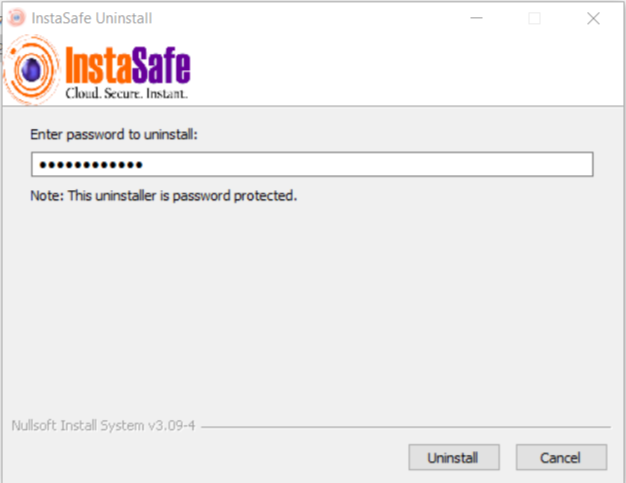
The InstaSafe Windows Agent will be successfully uninstalled from the system.