Linux Installation
InstaSafe ZTNA is currently supported in Ubuntu 18+(Linux Kernel 5+) and CentOS 7+ (Linux Kernel 5+). Once the user successfully sets his profile password he can download the agent from the console and install it on his device. Applications to which the user has been granted access to can be accessed through the agent.
Prerequisites
The following must be ensured before installation of InstaSafe ZTNA in linux systems.
1. Users must have sudo access to the system and curl must be pre-installed in
order to install the InstaSafe ZTNA App.

2. During installation, the system should have access to the InstaSafe libraries
and Linux repositories/mirrors so that the relevant packages could be downloaded
over the internet

3. It is recommended to carry out an 'apt update' or 'yum check-update' depending
on the Linux distro used, in order to download and update package information
from all configured sources
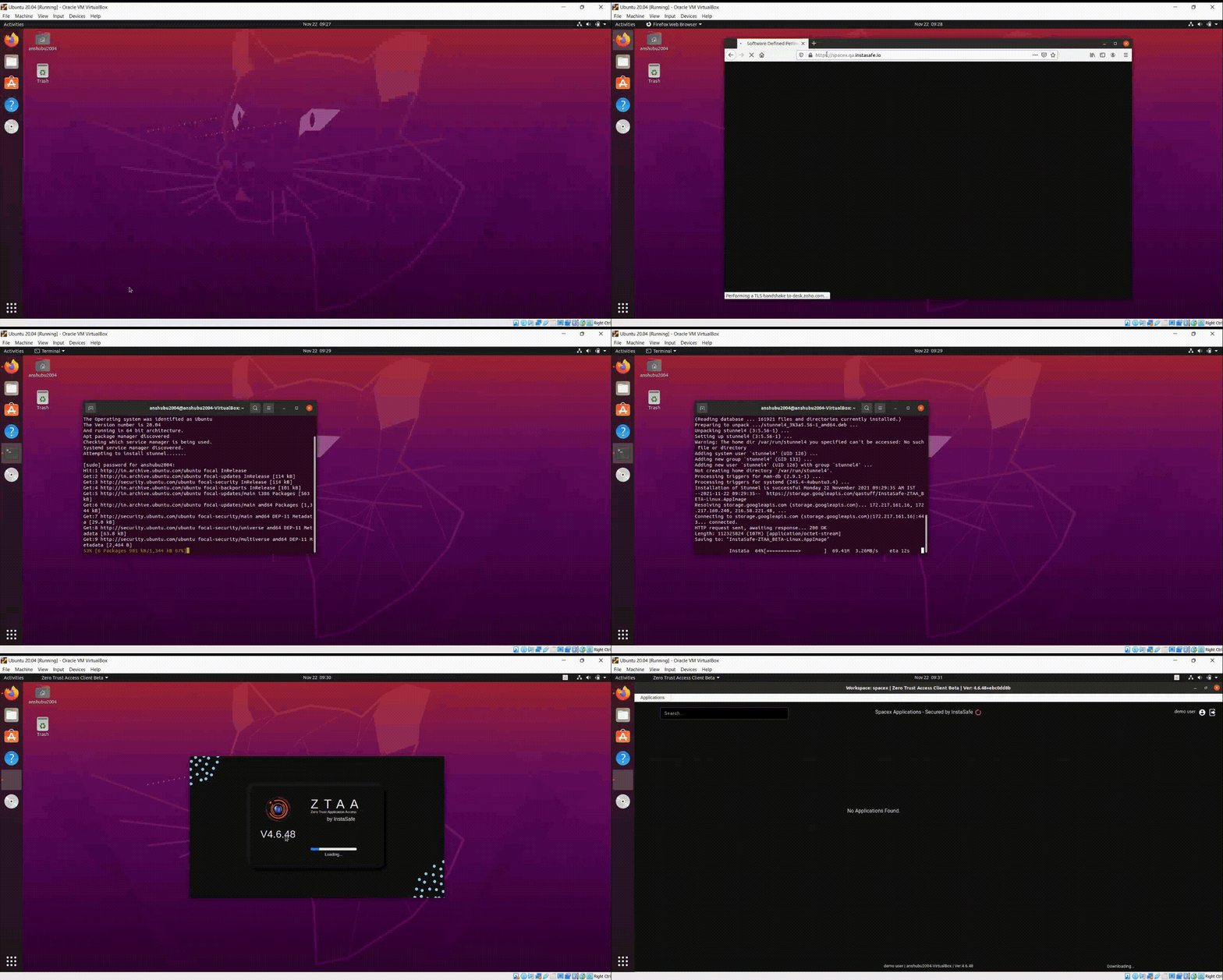
Follow these steps to install the agent
-
Login to the the console, the link for which is provided in the user provisioning mail.
-
After logging in, go to the downloads section.
-
Verify that the correct Operating System is detected.
For Linux, the script to download and install the InstaSafe ZTNA Client would be displayed:
/bin/bash -c "$(curl -fSsL https://storage.googleapis.com/4tr/client.sh) --production"
-
Copy-paste and execute this command in Terminal.
-
Once installation is complete enter your Domain/Username/Password information in the agent.
-
Post login, you will be prompted for root credentials in order to proceed. Your agent is now successfully configured.
-
In case the user has VPN applications configured then the user will be prompted to enter root password for the first time while trying login to the agent.