Export Logs
The Log Export feature allows administrators to forward InstaSafe logs to external log servers or SIEM platforms for monitoring, auditing, and compliance purposes.
Supported destinations include SIEM platforms and standard log transfer mechanisms such as:
- QRADAR
- ArcSight
- Splunk
- Syslog
- SCP
- SFTP
Log export is configured using a Log Profile.
Accessing Log Export Configuration
- Login to the InstaSafe Web Console.
-
Navigate to:
-
Report Settings → Export Logs
-
Click Add to create a new log profile.
Configuration Steps
Step 1: Basic Configuration
Fill in the required fields in the Add Log Profile section:
1. Profile Name
Provide a unique name for the log export profile.
-
Example:
QRadar-Event-Logs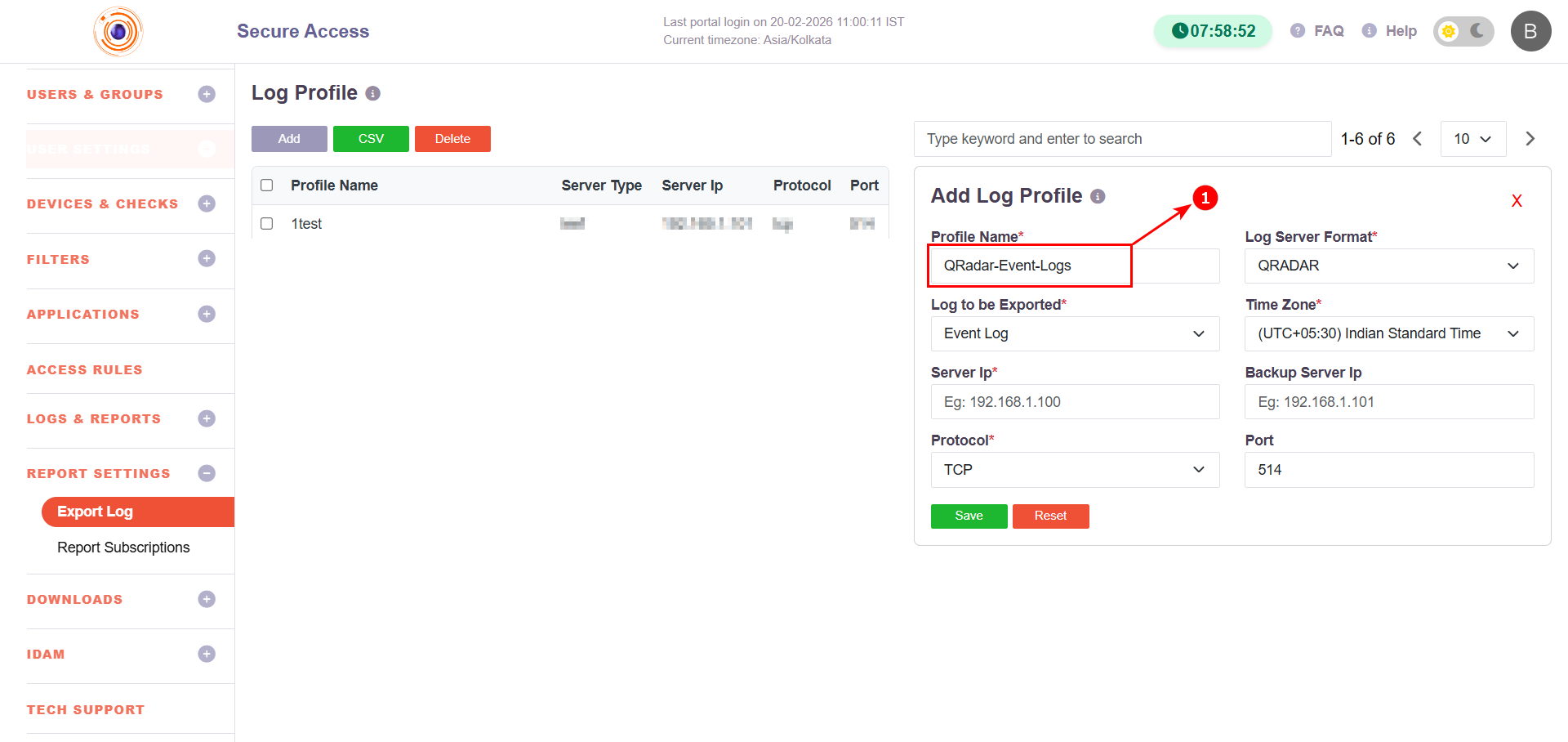
2. Log Server Format
Select the destination log format:
- QRADAR
- ARCSIGHT
- SPLUNK
- SYSLOG
- SCP
- SFTP
-
EMAIL
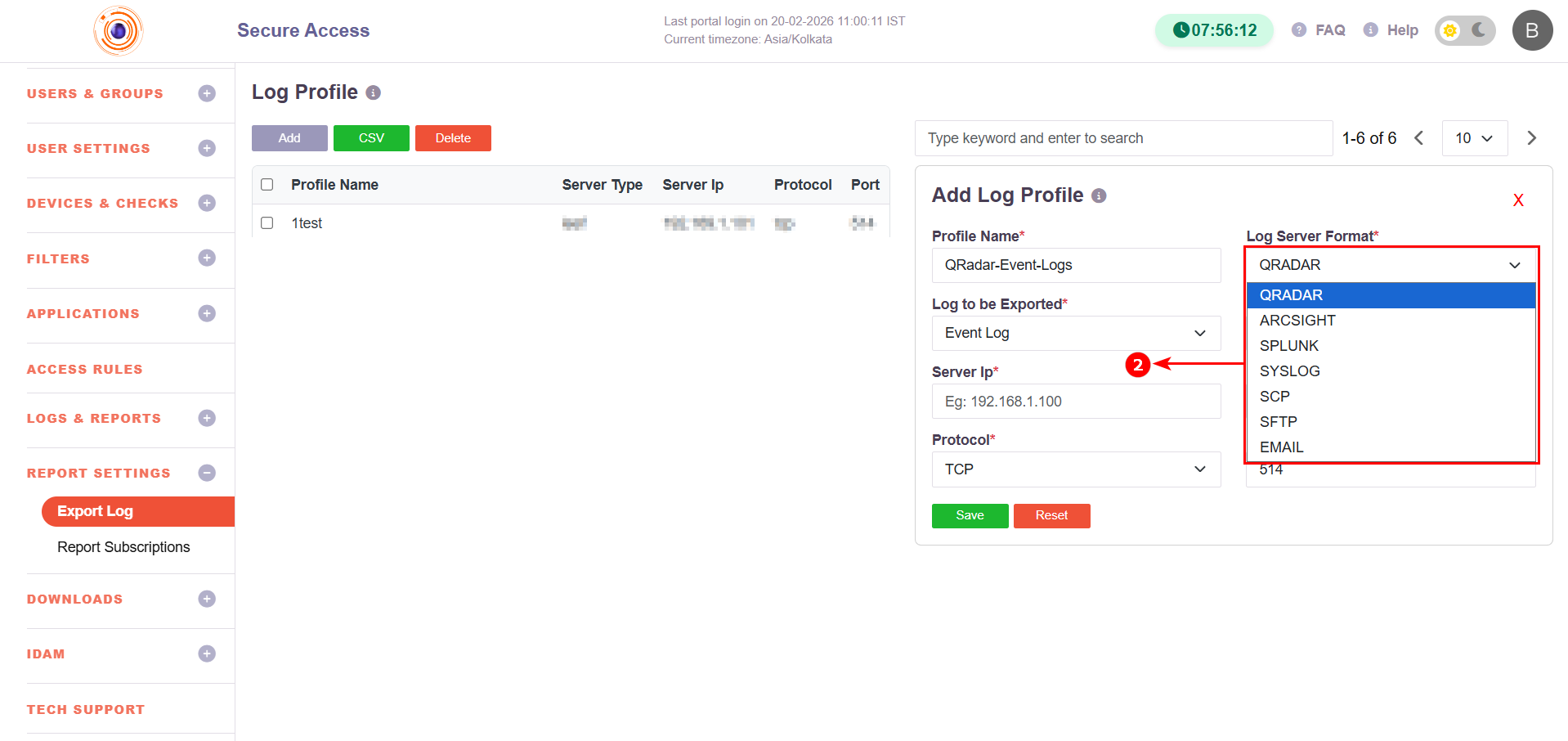
This determines how the logs are formatted and transmitted.
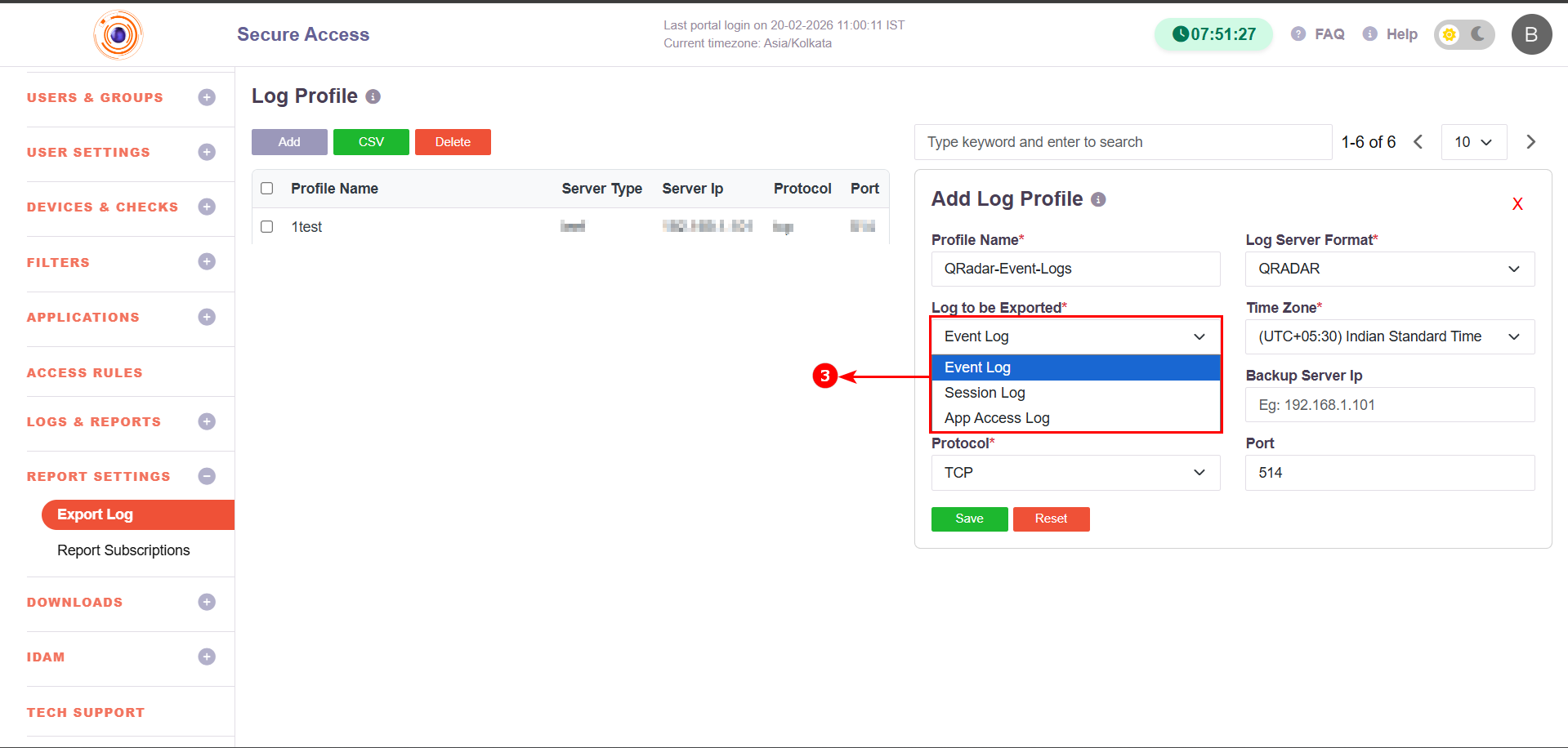
3. Log to be Exported
Select the log category:
- Event Log – System and administrative activities
- Session Log – User session start/stop information
-
App Access Log – Application-level access details
4. Time Zone
Select the time zone for exported logs.
-
Example:
(UTC+05:30) Indian Standard Time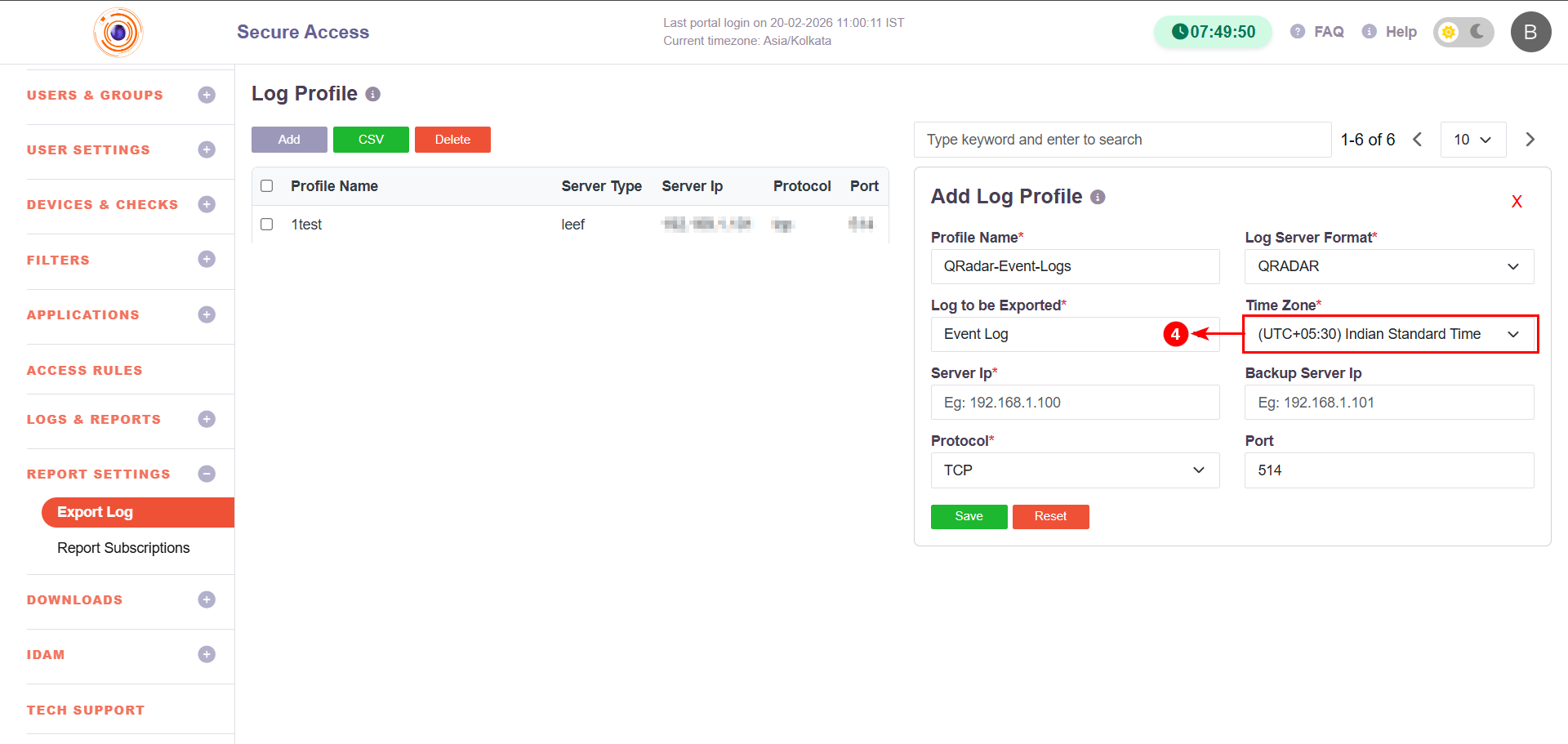
Step 2: Destination Server Configuration
5. Server IP
Enter the destination log server IP address.
-
Example:
192.168.1.100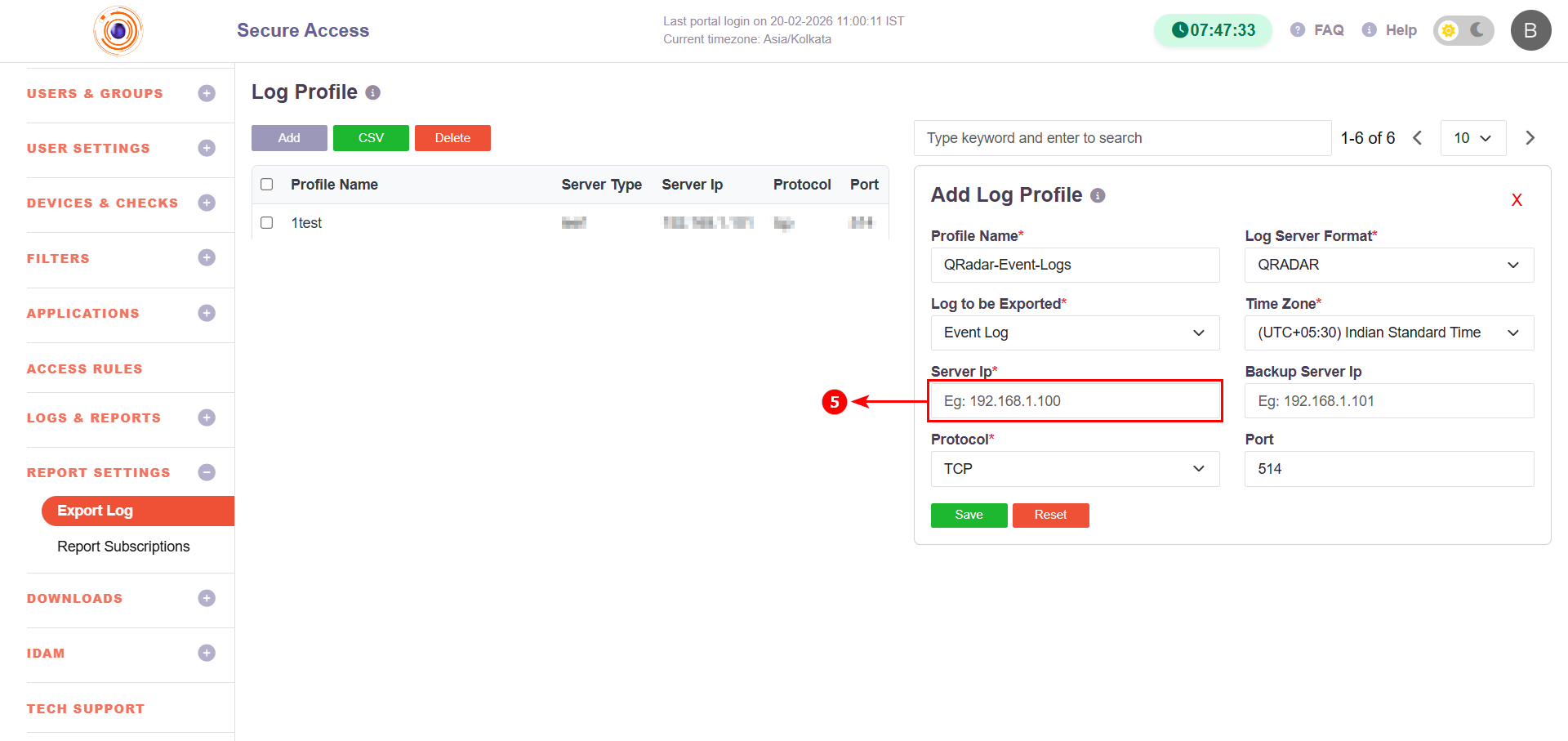
6. Backup Server IP (Optional)
Specify a secondary server IP to ensure log delivery if the primary server is unavailable.
-
Example:
192.168.1.101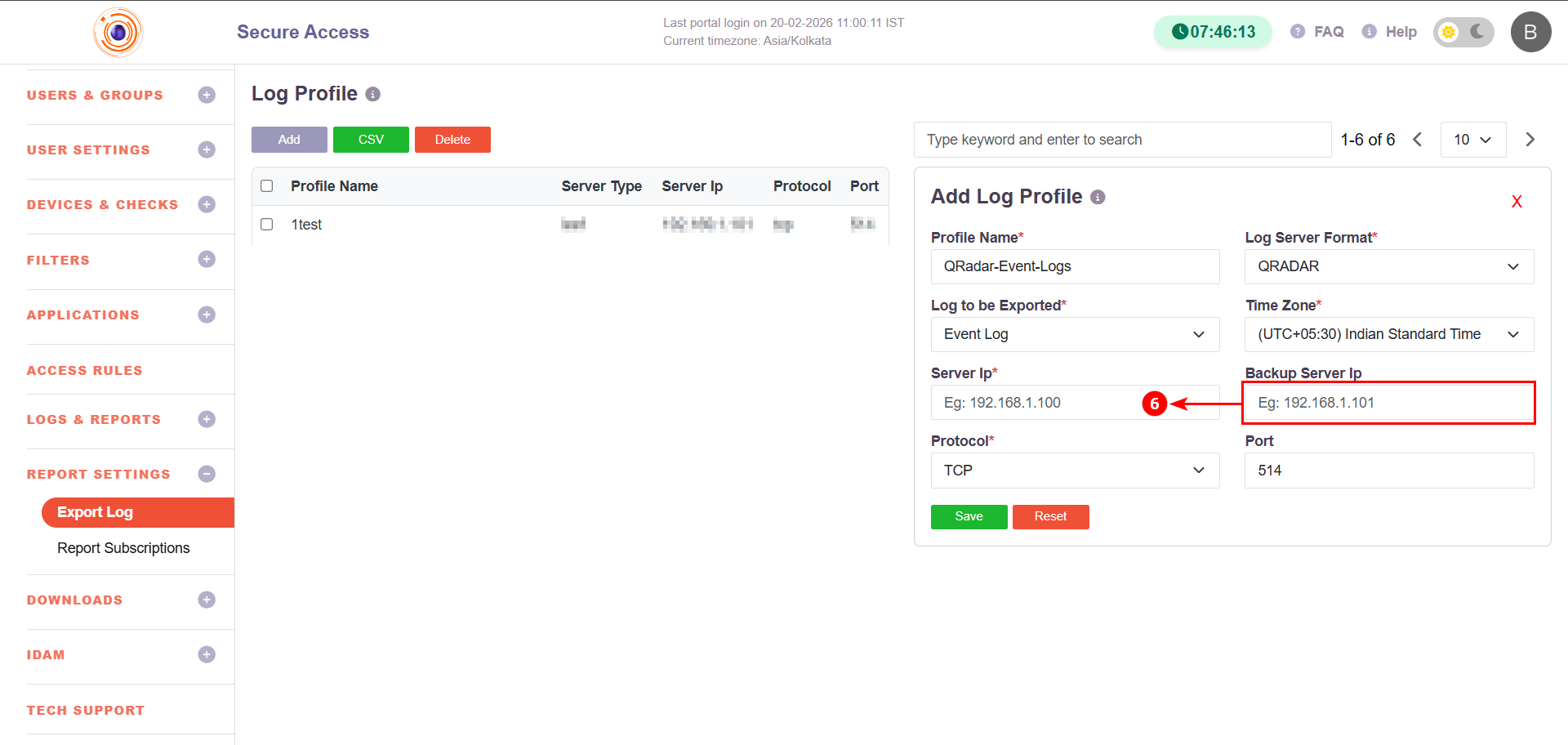
7. Protocol
Select the communication protocol:
- TCP (recommended for reliability)
-
UDP (if supported by SIEM)
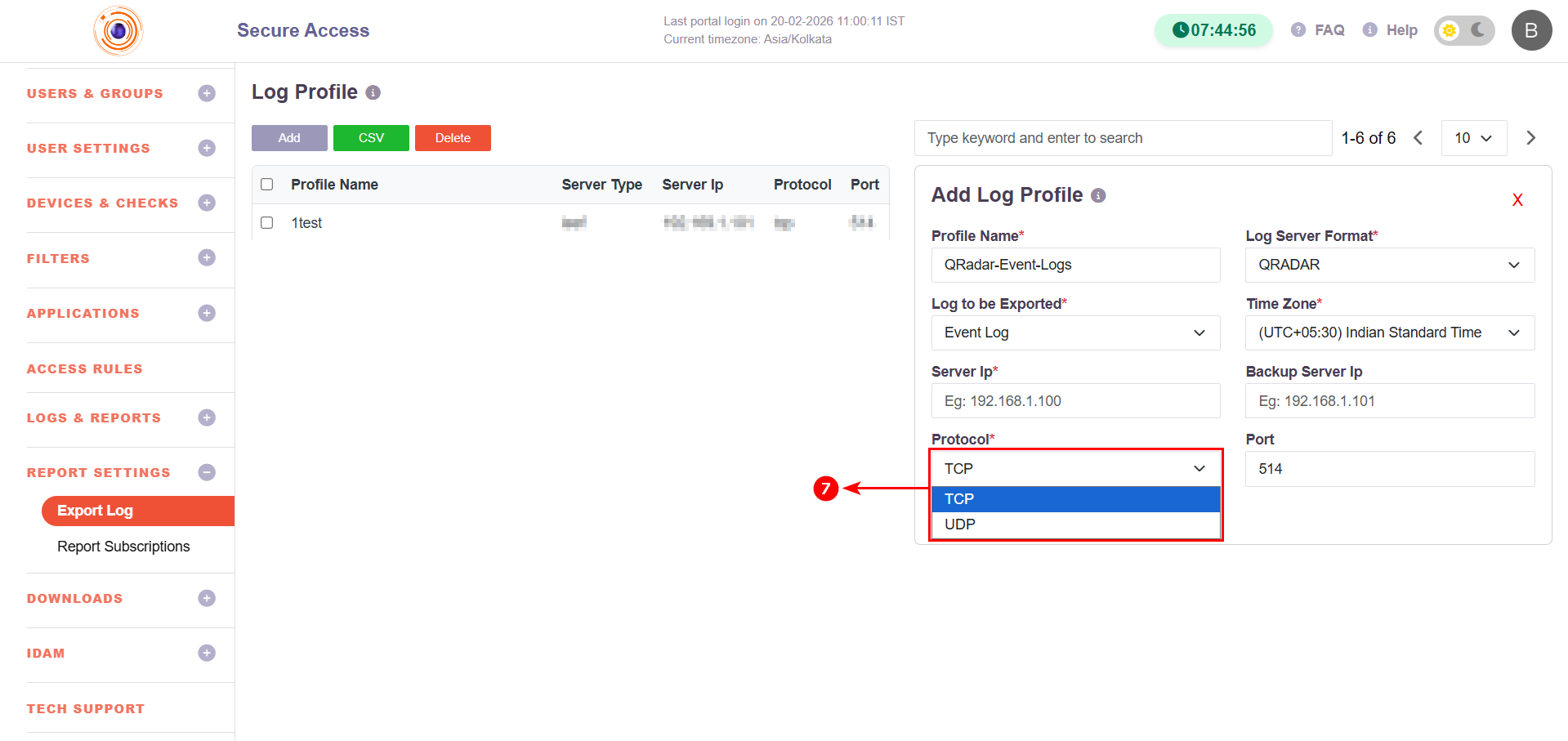
8. Port
Specify the destination port number.
-
Default for Syslog:
514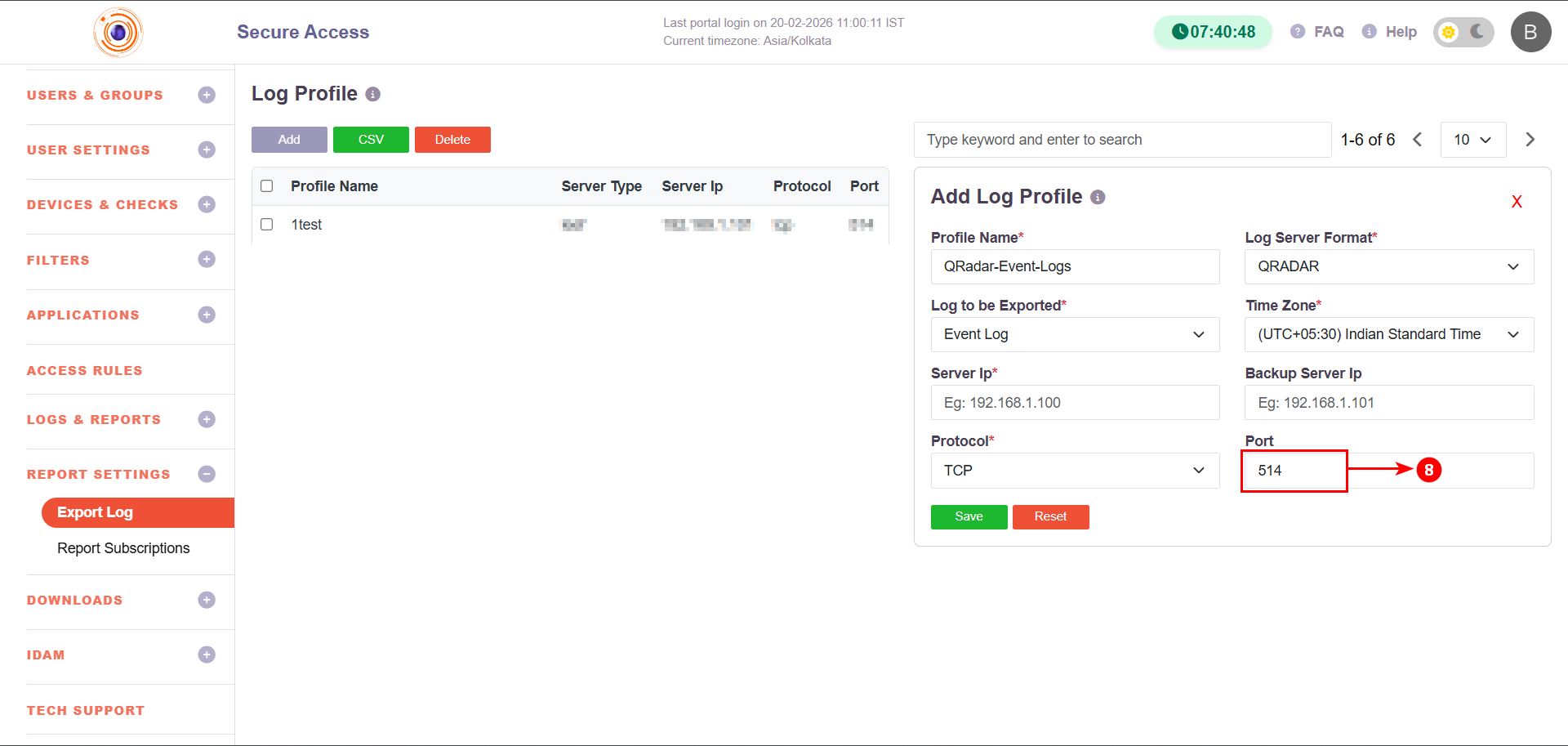
Port may vary depending on SIEM configuration.
Step 3: Save Configuration
- Click Save to create the log profile.
- The configured profile will be listed under the Log Profile table.
- Use Delete to remove a profile if required.
- Use CSV to export log profile entries (if needed).
Log Server Format Reference
| Format | Typical Use Case | Default Port | Protocol |
|---|---|---|---|
| QRADAR | IBM QRadar SIEM integration | 514 | TCP/UDP |
| ARCSIGHT | Micro Focus ArcSight SIEM | 514 | TCP/UDP |
| SPLUNK | Splunk log ingestion | 514 / Custom | TCP |
| SYSLOG | Standard Syslog server | 514 | TCP/UDP |
| SCP | Secure file-based log transfer | 22 | SSH |
| SFTP | Secure file transfer | 22 | SSH |
| Log export via email notification | SMTP Port | TCP |
Log Types Reference
| Log Type | Description |
|---|---|
| Event Log | Administrative events, configuration changes, system actions |
| Session Log | User login/logout, session duration details |
| App Access Log | Application access attempts and activity |
Summary
The Log Export feature enables centralized log monitoring by forwarding InstaSafe logs to external SIEM platforms or secure transfer destinations. By configuring a Log Profile, administrators can select the log type, format, protocol, and destination details to meet monitoring and compliance requirements.