SCIM Export
SCIM (System for Cross-domain Identity Management) Export enables automated provisioning and de-provisioning of users and groups from InstaSafe to third-party applications. InstaSafe supports SCIM 2.0-based provisioning, allowing secure synchronization of user lifecycle events (create, update, and delete) to integrated SaaS and enterprise applications through standardized SCIM APIs.
This ensures identity consistency across systems, reduces manual administrative effort, and enables centralized lifecycle management directly from the InstaSafe platform.
Configuring SCIM Export (Databricks)
-
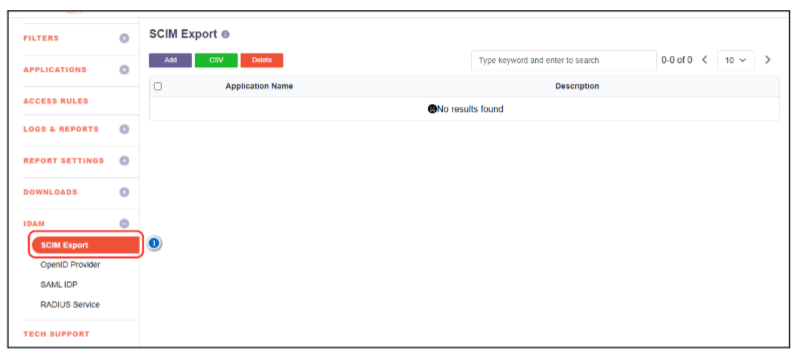
From the left navigation menu, go to IDAM and select SCIM Export.
-
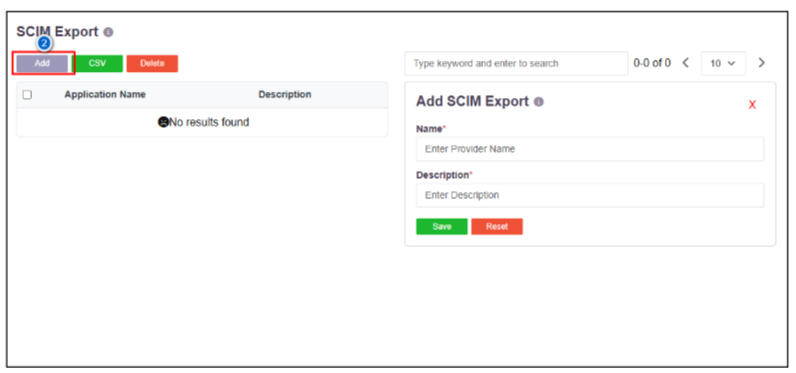
Click Add, enter the Application Name, provide a description for the application, and click Save.
-
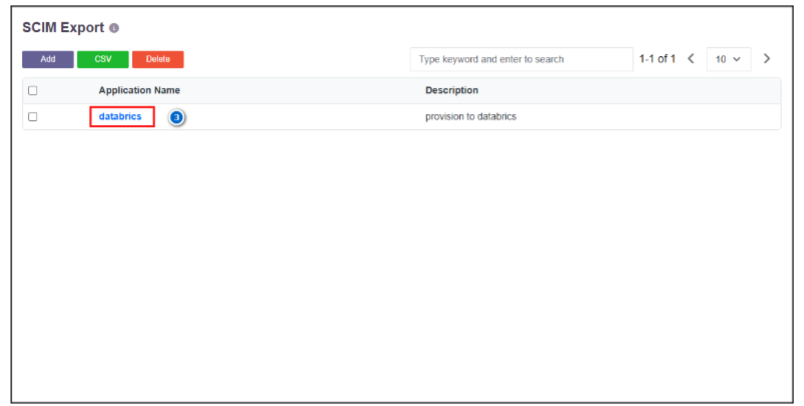
Click the created SCIM Export profile.
-
Enter the Tenant URL and Secret Token.
(The Tenant URL and Secret Token can be obtained from the Databricks Admin Dashboard under the Provisioning section.)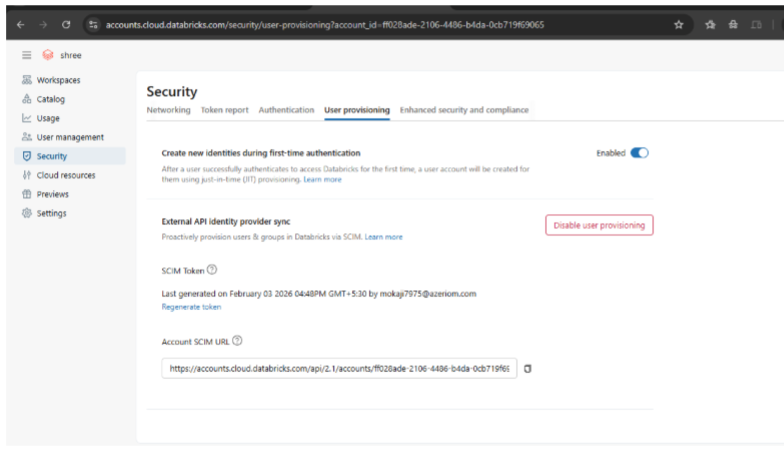
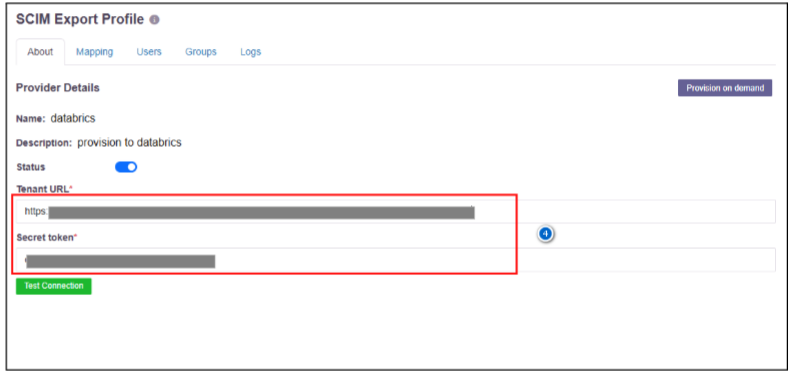
-
Click Test Connection.
(If the connection fails, verify that the Tenant URL and Secret Token are correct.)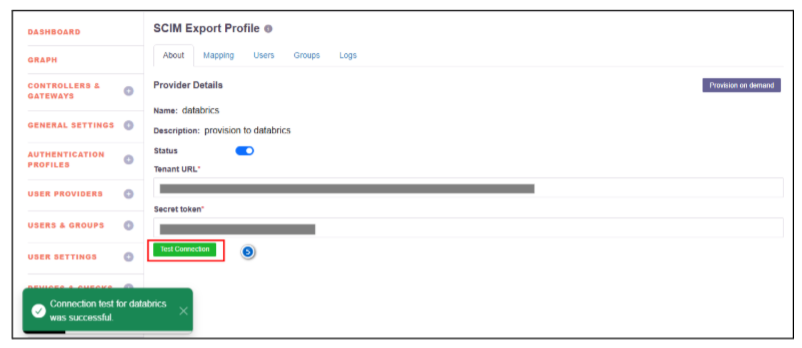
-
Navigate to Mapping, select User Mapping, map the local attributes to the corresponding SCIM attributes, and click Save.
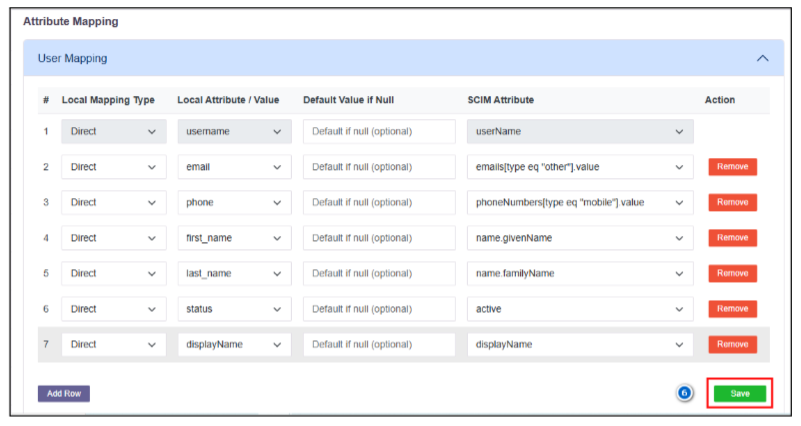
-
Select Group Mapping and add the required group attributes.
-
Click Save.
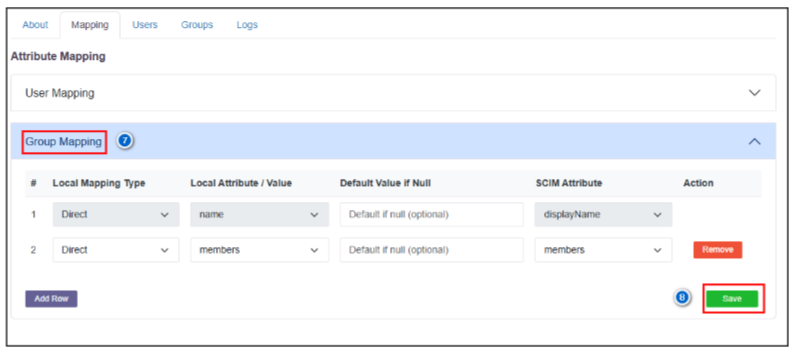
-
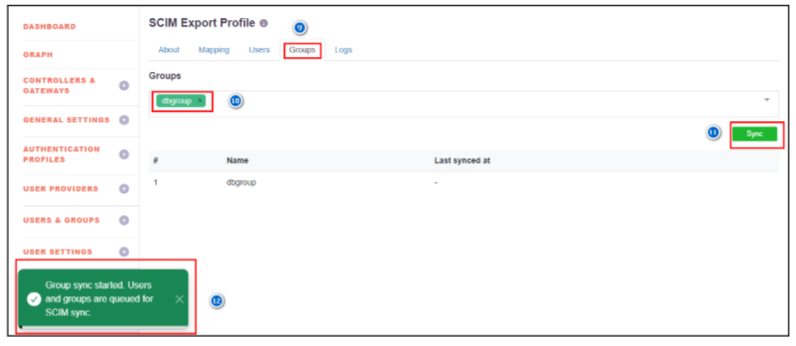
Navigate to Groups within the SCIM Export profile.
-
Assign the required user group(s) for syncing users.
-
Click Sync.
-
A notification will be displayed indicating that the user and group sync is queued.
-
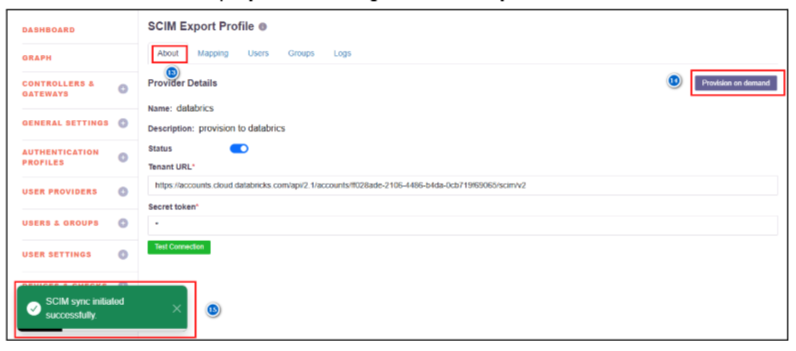
Navigate to About.
-
Click Provision on Demand (for the first-time synchronization; otherwise, SCIM sync will run based on the configured schedule).
-
A notification will be displayed indicating that the SCIM sync has been initiated.
-
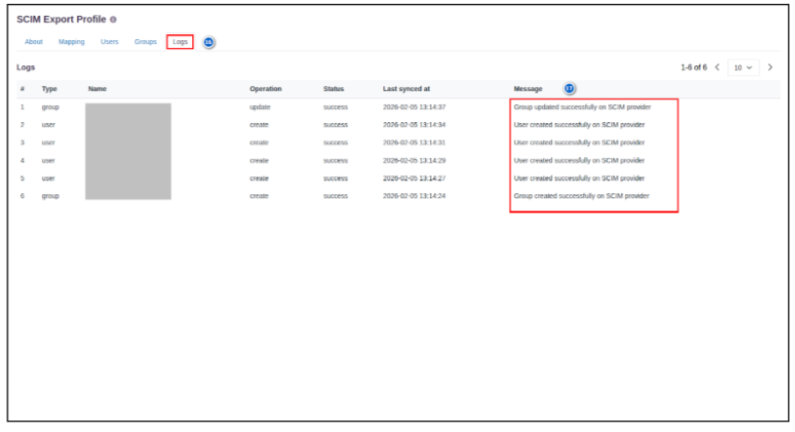
After a successful sync, navigate to Logs.
(If any issue occurs, verify the details in the logs.) -
User creation, update, deletion, group creation logs, and any related errors will be displayed.
Post-Configuration Verification
- Navigate to the configured Databricks application to verify the provisioned users and groups.
- In the SCIM-configured application, configure SSO (SAML / OpenID Connect) to enable authentication for the provisioned users.